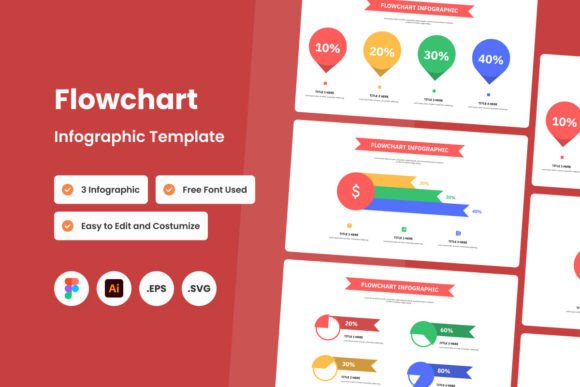
Flowchart Infographic Template V1
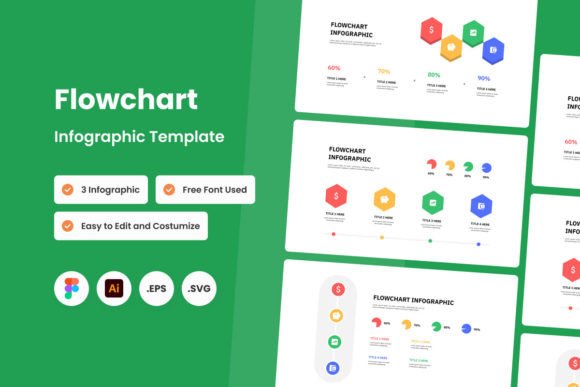
When you need to communicate a process clearly, a visual tool often works better than paragraphs of explanation. The Flowchart Infographic Template V1 offers a structured yet flexible starting point for turning complex workflows into visuals that people actually want to follow. Whether you are mapping a customer journey, explaining a decision tree, or breaking down a step-by-step guide, this template gives you a clean foundation to build on. What makes it particularly useful is the balance between structure and adaptability. You are not locked into a rigid layout, but you also do not start from a blank page. The three design variations included in the template allow you to choose a visual rhythm that matches your content, while the organized layers and open source fonts remove technical friction. This means you can focus on the logic of your flowchart rather than wrestling with formatting tools.
What Makes This Template a Practical Starting Point
A flowchart infographic is only as effective as its clarity. The Flowchart Infographic Template V1 addresses this by providing neat, well-organized layers that make customization straightforward. Each element sits on its own layer, so you can move, resize, or recolor components without disturbing the rest of the layout. For anyone who has spent time untangling grouped objects in design software, this alone saves hours. The template comes in .Fig, .Ai, .Eps, and .Svg formats, which means you can work in Figma, Adobe Illustrator, Affinity Designer, or even browser-based editors like Photopea. The open source fonts ensure that you are not hunting for paid typefaces or dealing with missing font errors when you share files with collaborators. These practical details matter because they let you move from idea to finished graphic faster.
The three unique design variations included are not just cosmetic changes. Each variation shifts the visual hierarchy slightly, giving you options for different kinds of content. One variation might emphasize sequential steps with a left-to-right flow, another might use a top-down structure for hierarchical decisions, and a third could offer a more freeform layout for nonlinear processes. Having these options at hand means you can match the template to your content rather than forcing your content into a single template shape.
Creative Applications Across Different Fields
The real value of the Flowchart Infographic Template V1 becomes apparent when you consider how many different users can adapt it for their own goals.
For Marketers and Content Creators
If you work in marketing, you regularly need to explain how things connect. A flowchart infographic can map the steps a customer takes from awareness to purchase, showing decision points where they might drop off or convert. You can use the template to visualize email automation sequences, content distribution workflows, or the logic behind an A/B test. The clean layout makes it suitable for social media posts, blog graphics, and slide decks. For a LinkedIn carousel, you could take one variation and split it across multiple slides, adding one step per slide to build anticipation. For a blog post, you might use the full flowchart as a featured image that summarizes the entire article.
For Educators and Trainers
Educators often need to break down processes that students find abstract. Think of a flowchart that explains the scientific method, the steps of a research paper, or the decision-making process in a case study. The Flowchart Infographic Template V1 lets you present these concepts visually, which helps learners see the relationships between steps. You can customize the colors to match your course branding or use high-contrast variations for accessibility. The open source fonts also mean that students who need to reference the file later can open it without compatibility issues.
For Entrepreneurs and Small Business Owners
If you run a small business, clear processes are essential for consistency. Use the template to document your onboarding flow, order fulfillment steps, or customer support escalation path. A well-designed flowchart can serve as a training tool for new hires or a reference document for your team. Because the template is easy to edit, you can update it as your processes evolve. You might also use it in pitch decks to show investors how your product or service works in a single, understandable visual.
For Freelancers and Hobbyists
Freelancers juggle multiple projects and clients, so having a reusable template saves time. You can create a flowchart that outlines your design approval process, from initial brief to final delivery, and share it with clients to set expectations. Hobbyists working on personal projects, like planning a garden layout or organizing a community event, can use the template to map out tasks and dependencies. The visual format makes it easier to spot bottlenecks or missing steps.
Adapting the Template for Different Platforms and Formats
One template should work across contexts, and the Flowchart Infographic Template V1 supports that flexibility through its format variety. The .Svg file is particularly useful for web use because it scales without losing quality and can be edited in code if needed. The .Fig file works well for collaborative design in Figma, where team members can comment and suggest changes directly on the canvas.
For print materials like handouts, posters, or reports, the .Ai and .Eps formats give you full control over color profiles and resolution. You can adjust the template to CMYK for printing without worrying about color shifts. If you need to present the flowchart as part of a larger document, you can export it as a high-resolution PNG or PDF from any of these source files.
When adapting the template for social media, consider the aspect ratio. The default layout might be landscape, but with the organized layers, you can rearrange elements to fit a square Instagram post or a vertical Pinterest pin. The three variations give you different starting points, so you can choose the one that best matches the platform's typical content format.
Keeping Your Flowcharts Clear and Effective
A flowchart that is visually appealing but logically confusing misses the point. To keep your results clear, start by mapping the process on paper or in a simple text outline before you open the template. Identify the starting point, the sequence of steps, and any decision points where the path branches. Once you have the logic solidified, bring it into the template.
Use consistent shapes and colors to reinforce meaning. For example, use rounded rectangles for start and end points, diamonds for decisions, and arrows to show direction. The template already provides a clean base, but you can further refine it by limiting your color palette to two or three colors plus a neutral. This keeps the visual from becoming noisy and helps viewers focus on the flow rather than the decoration.
Typography also plays a role. The open source fonts included with the template are clean and readable, but you can swap them for any other open source font that matches your brand. Keep font sizes large enough to read at a glance, and avoid using too many different typefaces in one graphic. A single font family with bold and regular weights is often enough to establish hierarchy.
White space is your friend. Resist the urge to fill every corner of the canvas. The template's layout already respects breathing room, but if you add extra elements like icons or annotations, make sure they do not crowd the main flow. A clean flowchart is a trustworthy one.
Variations and Approaches to Try
The three design variations in the Flowchart Infographic Template V1 give you room to experiment with different visual styles. Try using the most linear variation for a straightforward process like a step-by-step tutorial. Use the hierarchical variation for a decision tree or troubleshooting guide where the user needs to follow different branches based on their choices. Use the freeform variation for mind maps, brainstorming sessions, or nonlinear workflows where steps can happen in parallel.
You can also mix variations across a series of graphics. If you are creating a multi-page report or a slide deck, use one variation for the overview flowchart and another for a detailed breakdown of a specific section. This creates visual contrast while maintaining a consistent overall style.
Another approach is to treat the template as a base for interactive graphics. If you are working on a web project, export the .Svg version and add hover states or clickable areas using CSS or JavaScript. The clean layer structure makes it easy to isolate individual elements for interactivity.
Final Thoughts on Using the Template Well
The Flowchart Infographic Template V1 is a tool, not a crutch. Its value lies in the time it saves you and the clarity it brings to your communication. By starting with a well-structured foundation, you can focus on the content that matters rather than the mechanics of layout. Whether you are a designer producing client deliverables, a marketer explaining a funnel, or an educator simplifying a concept, this template helps you turn data into a story that people can follow.
Remember to customize the colors, fonts, and shapes to align with your brand or project identity. The three variations give you room to grow, and the full file formats ensure you are never stuck with a tool that limits your output. Download the template, open it in your preferred software, and start mapping your next idea. The process you explain today might be the one that makes the difference for your audience tomorrow.